

Microsoft Copilot offers different plans depending on the features and requirements that your group may need. There is a free plan that is a great way to get started. This is much like Grok and ChatGPT. However, as you use it more and for more specific advanced features, the paid versions of Copilot get more granular and can provide much more functionality.
Unraveling the Copliot plans and pricing.

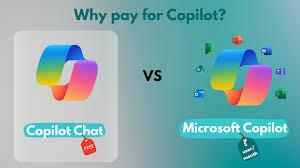
Plan 1. Copliot Free (Called Copliot Chat)
Copilot Free and Microsoft 365 Copilot serve very different purposes, even though they share the same name. Copilot Free is essentially a powerful, web‑based AI companion. It’s designed for general use: answering questions, brainstorming ideas, drafting text, generating images, and helping you think through problems. It lives entirely in the browser and doesn’t connect to your Microsoft 365 apps or your organizational data. In other words, it’s a smart assistant that sits next to your work, not inside it. It’s great for creativity, planning, and everyday tasks, but it doesn’t automate the deeper workflows that happen inside Word, Excel, Outlook, or Teams.
Plan 1: Copilot free / (Copliot Chat): What Features do you get?
Copilot Free is excellent for personal tasks and general assistance, but it doesn’t touch your business workflows.
Copilot Free gives you:
Access through copilot.microsoft.com
Natural conversation, brainstorming, writing help
Image generation and editing
General knowledge answers grounded in the web
**No integration with Microsoft 365 apps
**No access to your files, emails, or calendar


Plan 2: Copilot with Business Standard / Microsoft Office Suite
Copilot that comes with Microsoft 365 Business Standard is essentially the same experience as Copilot Free, just tied to your work account. It gives you access to Copilot Chat in the browser, where you can ask questions, brainstorm, draft content, and get web‑grounded answers. It’s a powerful general-purpose AI assistant, but it sits outside your Microsoft 365 apps. It doesn’t connect to your Outlook inbox, your Word documents, your Excel files, or your Teams meetings. In other words, it’s helpful for thinking, planning, and creating, but it doesn’t automate the work happening inside your organization’s daily tools.
Plan 2: Copilot with Business Standard Features
This is essentially the same experience as Copilot Free, but tied to your Microsoft 365 identity.o enterprise-grade data protection or governance
That means with Business Standard, you already get:
- Web-based Copilot chat
- Web-grounded answers
- General AI assistance
- No integration with Word, Excel, Outlook, Teams, or PowerPoint
- No access to your organizational data (emails, files, meetings)


Plan 3: Microsoft Copliot (Paid Add-On Version)
The add‑on version — Microsoft 365 Copilot Business — is a completely different tier of capability. This is the version that embeds itself directly into Word, Excel, Outlook, Teams, and PowerPoint. Instead of being a standalone chat window, it becomes part of your workflow. It can summarize long email threads, draft replies, generate slide decks, analyze spreadsheets, rewrite documents, and capture meeting insights. It also works securely with your organizational data, respecting all your existing permissions and boundaries. That’s what transforms it from a helpful assistant into a true productivity accelerator.It is sold as a separate add‑on license.
Plan 3: Microsoft Copliot (Paid Add-On Version) Features
Deep integration with Microsoft 365 apps
- Word: Draft documents, rewrite sections, summarize long files
- Excel: Analyze data, create formulas, build charts
- Outlook: Summarize long email threads, draft replies, schedule intelligently
- Teams: Meeting summaries, action items, insights
- PowerPoint: Generate full slide decks from prompts or documents
- SharePoint & OneDrive: Work with your files directly

